Showing posts with label Review. Show all posts

Saturday, 22 October 2011

The Bulldozer Review: AMD FX-8150 Tested

 AMD has been trailing Intel in the x86 performance space for years now. Ever since the introduction of the first Core 2 processors in 2006, AMD hasn't been able to recover and return to the heyday of the Athlon 64 and Athlon 64 X2. Instead the company has remained relevant by driving costs down and competing largely in the sub-$200 microprocessor space. AMD's ability to hold on was largely due to its more-cores-for-less strategy. Thanks to aggressive pricing on its triple and hexa-core parts, for users who needed tons of cores, AMD has been delivering a lot of value over the past couple of years.
Recently however Intel has been able to drive its per-core performance up with Sandy Bridge, where it's becoming increasingly difficult to recommend AMD alternatives with higher core counts. The heavily threaded desktop niche is tough to sell to, particularly when you force users to take a significant hit on single threaded performance in order to achieve value there. For a while now AMD has needed a brand new architecture, something that could lead to dominance in heavily threaded workloads while addressing its deficiencies in lightly threaded consumer workloads. After much waiting, we get that new architecture today. Bulldozer is here.
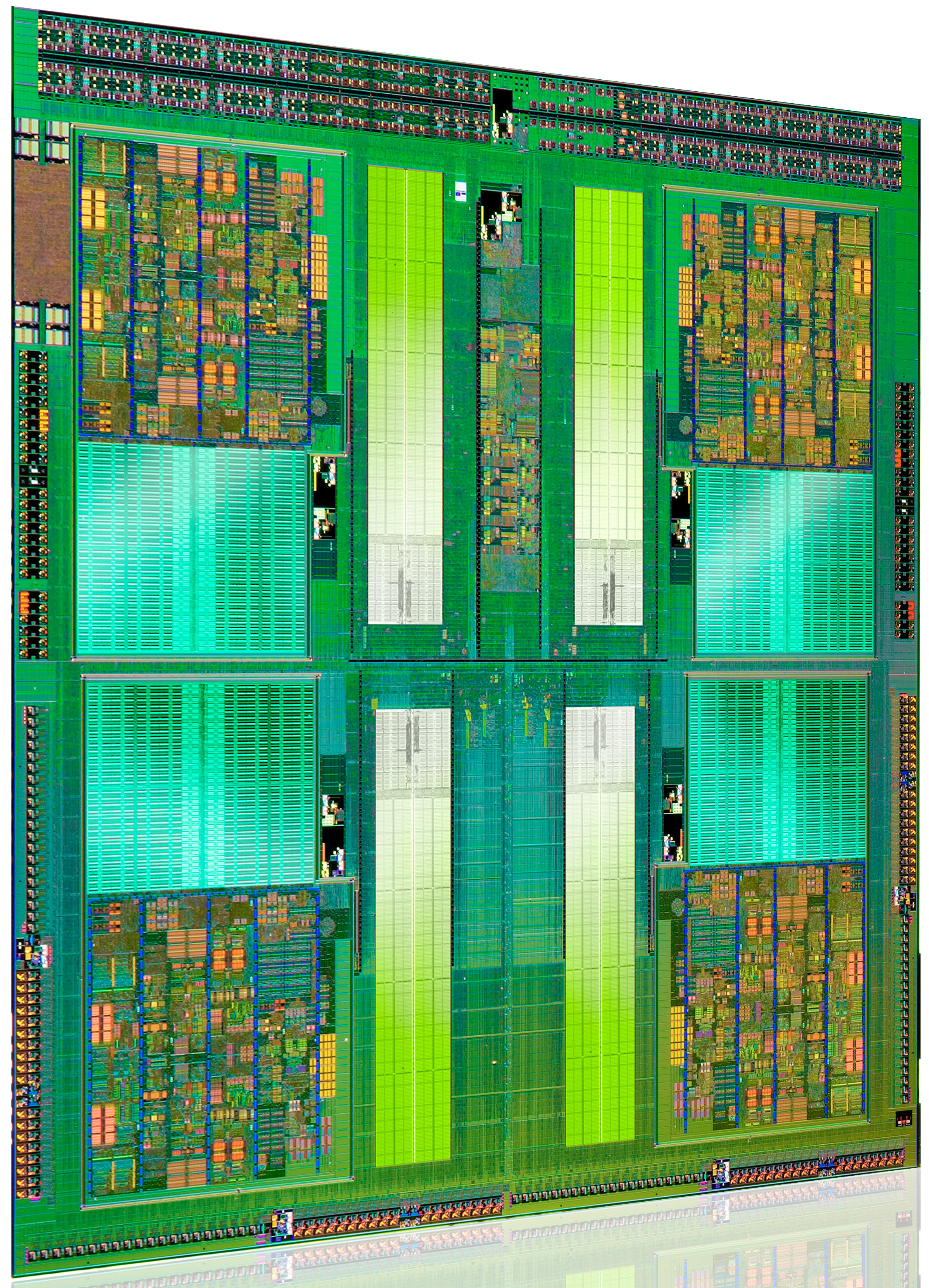
It's branded the AMD FX processor and it's only available in a single die configuration. Measuring 315mm2 and weighing in at around 2 billion transistors (that's nearly GPU-sized fellas), Bulldozer isn't that much smaller than existing 45nm 6-core Phenom II designs despite being built on Global Foundries' 32nm SOI process. Both die area and transistor count are up significantly over Sandy Bridge, which on Intel's 32nm HKMG process is only 995M transistors with a die size of 216mm2. This is one big chip.

Read More - http://www.anandtech.com/show/4955/the-bulldozer-review-amd-fx8150-tested

Related Articles;

AMD Llano A8-3850 vs Intel Core i3 210

Wednesday, 20 July 2011

Budget HD HDMI Graphics Cards - 2011

Hey everyone, In this post I am going to be looking at cheap budget graphics cards. Many people don't use computers for gaming and so don't need very powerful graphics cards however if you occasionally want to watch a bit of HD video and your onboard graphics isn't quite up to it then these cards will do well for your situation. They are cheap and quiet and will play HD video. All the cards that I am going to look at have a native HDMI output.

AMD Radeon HD 5450 512mb
The Radeon HD 5450 is a very capable cheap graphics card. It will easily run HD video. You can get this cheap card at an amazing £23 ($37) which is an amazing price. You can find it here. It's specifications are as follows;
  • Engine Clock - 650Mhz
  • Memory Clock - 800Mhz
  • Memory Interface - 64bit
  • Benchmark Score - 303
Overall this is a very capable graphics card for running HD video and even some light gaming. Having looked on youtube there are a fair few people playing games with this card which amazed me to be honest. Another good thing about this card is that it only needs a 350-400w PSU for it to run correctly so quite a few branded computers could have this card fitted as an upgrade. The benchmark score for this card is not bad at all and you can tell that it has a good high clock speed from those results.

AMD Radeon HD5450 512Mb
Nvidia Geforce 8400GS 512Mb
The 8400GS has been around for some time now but at just £23($37) it is still worth a look at. You can find this card here it has the following specifications;
  • Engine Clock - 450Mhz
  • Memory Clock - 800Mhz
  • Memory Interface - 64-bit
  • Benchmark Score 139
Overall this isn't as well setup for HD video playback as there is a much lower clock speed than on the 5450. This means that you will most likely end up with slower play back and sometimes missed frames. I wouldn't recommend this for HD film watching but if you want a graphics card just for the windows aero theme and want to take a bit of load of the CPU and RAM in the computer then this cheap card will do the trick. The low benchmark score would most likely have been down to the really low Engine clock speed.
Gigabyte Geforce 8400GS 512Mb

Nvidia Geforce 210 512Mb
The Nvidia Geforce G210 is a higher performance card from Nvidia than the 8400GS. It costs £26 ($42) which is a bit more than the other 2 cards that I have looked at so far. You can find the card here. It comes with the following specs;
  • Engine Speed - 520Mhz
  • Memory Speed - 1.2Ghz
  • Memory Interface - 32-bit
  • Benchmark Score - 203
The clock speed of this graphics card isn't quite as high as the clock speed of the 5450 but it is faster than the 8400GS. The memory speed is where this card stands out with a rating of 1.2Ghz a full 50% faster than the other 2 cards. However the card is really let down by the tiny 32-bit memory interface which would most likely take away whatever performance the extra 50% more Mhz the RAM gave. Overall yes you could most likely play HD video on this card but if it was me I would rather spend a few more £/$ and get something a bit more pokey. The benchmark of this card is in the middle of the other 2 cards which proves that it really isn't worth the extra couple of pounds/dollars.

EVGA Geforce G210 512Mb

AMD Radeon HD 6450 512Mb
The new AMD Radeon 6-Series has higher performance and is DirectX11 ready which means that it is ready for all the new games for the next couple of years. This card costs just over £33 ($53) You can find this card here it has the following specifications;
  • Engine Clock - 625Mhz
  • Memory Clock - 1334Mhz
  • Memory Interface - 64-Bit
  • Benchmark Score - 376
These numbers look rather promising for playing HD video. They have the high clock speed that is needed and also the good RAM speed as well. The memory interface is nothing to rave about but it will do for most peoples needs when running Windows Aero and HD video. Overall not a bad card for the price and a good benchmark score that is higher than all the cards before it. The high memory speed matched with the good memory interface here really shows in the performance of the card.
Sapphire Radeon HD6450 512Mb


Nvidia Geforce 9500GT 512Mb
The Nvidia Geforce 9500GT is just over the £35 limit that I set for this post. This card has been around for a while but it not massively out of date really. You can find the card here. It has the following specifications;
  • Engine Clock - 550Mhz
  • Memory Speed - 667Mhz
  • Memory Interface - 128-Bit
  • Benchmark Score - 352
This card may not have the fastest memory or engine clock but it has double the maximum memory interface speed than all the other cards.This card however costs more than the 6450 but has returned a slower benchmark speed so it isn't really worth considering it if it costs more and is slower. However I do believe that this would most likely be slightly better at gaming due to the higher memory interface speed.
Inno3D 9500GT 512Mb
Overall then the best card that you can currently get under £35 ($56) is the AMD Radeon HD6450 with it's amazing benchmark score of 376 and the highest memory speed it is the best card for watching HD video on at a budget. Thanks for reading. Below are some related articles;
Budget CPU Coolers Reviewed

Sunday, 17 July 2011

Budget CPU Coolers Reviewed

Hey everyone, In this post I am going to be taking a look at some of the cheaper CPU coolers and heatsinks that are currently on the market. I will be including Specs of each of the Coolers and also if I can find any temperature comparisons online then I will put them in as well.

Xilence XilentBlade Pro

The Xilence XilentBlade pro is one of the cheapest performance heatsinks that is available on the market today. It can cool CPU's upto the Intel Core 2 Quad Q9650 and the AMD Phenom x3 8750. It costs just under £15 ($25) and looks very well built. It has 6 large heatpipes and that fan that is included can move 36cfm of air which means that it will cools most CPU's very well. The design is pretty boring to be honest and just has a huge square block of aluminum fins and a Red and Black fan attached to it so nothing too fancy. Overall I would think that this cooler would be brilliant for cooling Dual Core CPU's that use under 95w of power and for £15 who can complain? Great cooler by Xilence. This cooler can be used on Sockets 775, 1366, AM2, AM2+ and AM3.
This cooler can be found here - http://www.ebuyer.com/product/176093
Xilence XilentBlade Pro
Arctic Cooling Freezer 7 Pro
This CPU cooler design has been around for ages and has earned it self a lot of praise from overclockers over the last couple of years. Arctic has really managed a great budget cooler with this design and you can pick one up for around £15 just like the Xilence XilentBlade. This cooler can be used on Sockets 775, 1156, 1366, AM2, AM3. It has 6 heatpipes and 42 fins for optimal cooling performance and can cool CPU's up to 130w which means pretty much every CPU made currently. It has a 92mm fan on the front of it which is mounted on rubber mounts to stop vibrations. The fan can push 45cfm which is pretty impressive. Overall Arctic cooling has done a very good job at making a Budget CPU cooler and I am very impressed with the quality of this as well as I have used on before.
You can find this CPU here - http://www.ebuyer.com/product/176157
Arctic Cooling Freezer 7 Pro
Zalman CNPS7000C-CU Super Flower
The Zalman CNPS700C-CU is a bit of an out of date design now. I remember having one that was cooling my Athlon XP CPU ages ago. This one looks pretty much exactly the same only it fits different sockets. It will fit the following CPU sockets; AM2, AM2+, AM3, 754, 939, and 940, 775, 1156, 1155 This Cooler features 2890sq/cm of surface area which means that it has a lot of surface to dissipate heat. I couldn't find out how much CFM the fan pushed even on the Zalman website so I can't really make much of a judgement on this cooler to be honest. Overall it is a little outdated now but if you have a computer with maybe a 754 or 939 motherboard then this is still a perfectly good option.
This cooler can be found here - http://www.ebuyer.com/product/153203

Zalman CNPS7000C-CU Cooler

Inno3D iChill XXXX
Inno3D isn't a well known cooler manufacture, They are more specialized at producing cheaper graphics cards. However when I saw this cooler I was amazed that they could produce it so cheap and yet have such good specifications. There are  the specs of this cooler;

Max. Air Flow - 45CFM
Noise - 23-39dB
TDP Limit - 140W
Intel: i7 / i5 / i3 / Socket 1366 / 1156 / 1155/ 775
AMD: Socket AM3 / AM2+ / 939

As you can see from the specifications it has a high flow fan and can cool CPU's up to 140w which is very good. It also has 6 heatpipes to aid heat dissipation from the CPU. Overall this cooler is very good for £17 and it looks like it would do a very decent job of cooling every CPU available today.
This Cooler can be found here - http://www.ebuyer.com/product/244150
Inno3D Ichill XXXX
Overall there are various coolers that would most likely do a good job at cooling your CPU and for under £20, I was amazed at what I found. I would recommend the Inno3D iChill and the Arctic Cooling above the others but those are still capable CPU coolers anyway so there is no need to say they are not good because they are. All great designs and all aimed at the budget market.

Related Articles;
How to keep your PC running cool and quiet - Case fans and Cases
PCI Blower Exhaust Fan Graphics Card Cooler Review

Saturday, 16 July 2011

How to keep your PC running cool and quiet - Case Fans and Cases

Hey everyone. In this post I am going to be looking at ways to help keep your PC running cool and Quiet. When A computer is being used it produces heat because of the chips that are in it. Each one is made up of loads of little transistors and as they are turned on and of they give out small amounts of heat. Now when all of this is added up you can end up with some pretty high heat output components that need to be cooled. This is my quick guide to cooling your computer on a budget.


Firstly The Case


One of the main parts of a computer for cooling is the case that you house the components in. There are many people out there running their high powered computers in a tiny little case which causes them to get too hot or become noisy as the fans spin up to try and keep them cool. Here are a few cases that will not brake the bank but will help to keep the air flow to your components as good as possible.

I am going to start with the Casecom 5288. It can be bought for £28 ($45) from here Having looked at the specs of the casecom 5288 the first thing I noticed was the big 120mm fan on the front and the space available for a 120mm fan on the back as well. 120/140mm fans are a lot better at keeping down the volume of the PC as they don't have to spin as fast to move as much air as 80/92mm fans do. This case also feautres a 120/140mm fan space at the top of the case and the PSU is also mounted at the bottom. This means that the PSU gets good cool air to keep it running well and help keep voltages stable. It is also quite a stylish case and looks rather nice.
Casecom 5288
The next case that I am going to look at is another Casecom case. You can find it here. It is the Casecom 6788. This massive looking case costs around £29 ($47) has a full vented front so that air can pass through the 5.25" drive bay covers through a fine mesh and filter. This stops dust getting in while allowing air to pass through. It has basically the same layout as the Casecom 5288 except different styling. This is more of a gaming case. It has the slot for a 120mm fan in the front and upto 120mm on the back and a space for upto 140mm on the top. This is great for case airflow and will help keep the components very cool. The PSU is also mounted at the bottom like the 5288 which is good for keeping the PSU cool as well.
Casecom 6788
My final case is made by Xigmatek and goes by the name Xigmatek Asgard. This all black case is made to a high standard and only costs £29 ($47) from here. It has a front mounted 120mm fan from standard and space on the back for another 120mm fan. It also has two spaces for 120mm fans on the side to aid graphics card cooling. The PSU is mounted at the top in this case unlike the Casecom cases which might mean that your PSU will run a little hotter but it most likely won't make that much difference so long as you have good case fans.

Secondly The Case Fans

Having a good case can easily be canceled out by having cheap high spinning fans that produce a lot of noise. Instead of going for the cheapest fans you can find it is usually a good idea to stick with well known brands such as Zalman, Coolermaster, and Antec.
I am going to start with the Coolermaster Excalibur. This is one of the most expensive PC fans you can buy at the moment but it does offer amazing performance and it will also last a lot longer than most cheap PC fans. Here are the main specifications for the Coolermaster Excalibur
  • Speed (R.P.M.) 600 - 2000 RPM ± 10%
  • Air Flow (CFM) 26.4 - 85.6 CFM ± 10%
  • Air pressure (mmH2O) 0.75 - 3.53 mmH2O
  • Noise 13 - 30 dBA
As you can see this is a very quiet case fan and will easily be able to cool most components with a maximum flow rate of 85.6 CFM. That is a lot of air flow for a very good DB rating. Coolermaster are a good reliable computer cooling and PSU company so I have no doubt that this fan will be able to produce those numbers in a real situation. It also has a 100,000 hour life so it will outlast any cheap case fan easily.

The next type of fan I am going to look at is the Coolermaster 120mm Sickleflow. This is a very good case fan and these are the specs about it;
  • Speed (R.P.M.) 2000 R.P.M.
  • Air Flow (CFM) 69.69 CFM
  • Air pressure (mmH2O) 2.94 mmH2O
  • Fan Noise Level (dB-A) 19 dB-A
As you can see this case fan has massive air flow. 69 CFM from a 120mm fan that only produces 19dB is a very good performance, sound ratio. And once again as it comes from coolermaster it wouldn't surprise me if it managed these figures.
Coolermaster Sickleflow 120mm
 The final fan that I am going to look at is the Xilence Red Wing. This fan is a great fan and I have personally been running one for quite a while now and it is very quiet. They cost around £4.50 ($7) and they are very good for the price. They come with a fitting kit which includes 4 rubber mounts for the fan to stop vibrations. These are the specifications for the fan
  • Air volume at full speed (12V), CFM ±10% 44.71
  • Noise level at full speed (12V), dB(A) 21.2 
  • Fan speed at full speed (12V), RPM ±10% 1400
As you can see from the figures this is a very capable fan. It can push 44 Cfm at 1400rpm and still only produce 21dB of noise. This is a very good noise to performance ratio and Xilence should be proud of what they have produced. A good priced high performance quite fan. Exactly what you need to put in one of your Budget cases that I reviewed above.

Xilence Red Wing 120mm


Friday, 15 July 2011

Top 5 Free PC Tools and Software

Hey everyone, Today I am going to be looking at what I think is the top five free PC tools. There are many PC tools out there that are available for free and many that cost quite a lot. The ones that cost are usually the same as the free ones just with a few extra added features that most people can do without.

Avast Free Anti-Virus

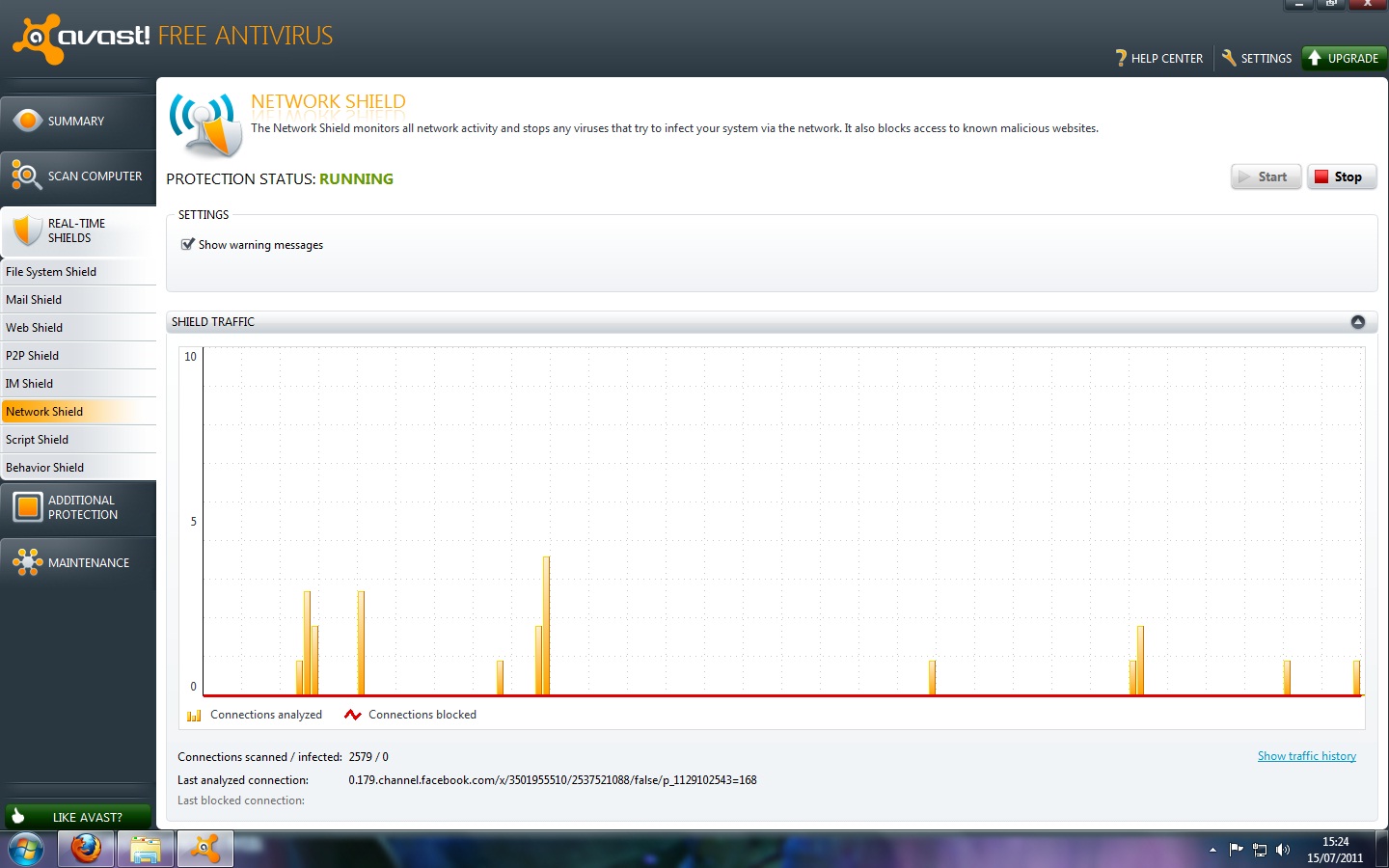
Avast free anti-virus can be downloaded from here it is 100% free and will run on computers that have the following windows operating systems; 2000, XP, 2003, Vista, and 7. I have been running this program on my computer now for around 8 months and I have not once had a virus in this time and I do a lot of downloading. It has a very sleek design and will easily be enough protection for most regular peoples needs. The only reason you would need more is if you are doing a lot of online banking and shopping with lots of different websites. Avast offers 8 different real time shields which include, File system shield, Web shield, P2P Shield, and Network shield. It also features a Behavior shield which will monitor how certain programs are behaving and then see if they are acting suspicious.

CCleaner Hard Drive Cleaner

CCleaner can be downloaded from here CCleaner is one of my favorite programs for when I am trying to speed up a computer. I have used CCleaner for around 2 years now and not once had any problems with it deleting anything that was important. When CCleaner has been installed it will delete any unnecessary files that have built up on your hard drive over time. This will free up space and also increase the speed of your computer as it no longer has to wade through all the other rubbish files to find the one it needs.

Auslogics Disk Defrag
This program is one of my favorite programs at the moment. It is only 4.5Mb to download from here it is quick to install and doesn't take much hard drive space which is always good. This program arranges the files on your computer so that they are easy to access by the hard drive. This means that they load quicker and will mean your computer will become faster. All you have to do with this Auslogics Disk Defrag is install it onto your computer and then run it. Click here for a guide on how to use CCleaner and Auslogics Disk defrag. Overall I think this little program from Auslogics is great and makes a noticeable difference to the speed and reactivity of your computer.
Quick StartUp

I really like this program. You can download it from here when you have installed it you will be given a list of programs that start up when you turn your computer on. Usually this list is very big if you have never optimized it before. You can un-tick the programs that you know you don't need at start up such as Java update and MSN Messenger. This will speed up your computer by making less programs start up when you boot and will keep less programs running in the background.

Filehippo Update Checker
I really like this program from Filehippo basically you download it from here and install it on your computer. Then when you run it, it scans the computer and finds any out of date software that you have and that they feature on their website. It will then open a list of these programs and you can download them from the filehippo website. Keeping programs up to date increases speed and performance and also keeps you safe from virus' and hackers that have found weaknesses in older programs. Overall it is a great little program that will help keep your computer fast and also keep out bad things.

Thanks for reading everyone and enjoy the new programs. Or read the related article below;
How to Speed up your Computer

Thursday, 14 July 2011

Budget Intel Socket 1155 Motherboards Review

In this post I am going to be briefly looking at some the cheapest socket 1155 motherboards that there is. Socket 1155 is the newest socket offering from the CPU giant Intel. It supports all of Intels latest CPU offerings including the 2nd generation of Intel's Core i7 CPU's. I am going to start by looking at the cheapest 1155 motherboard that eBuyer features on their website.

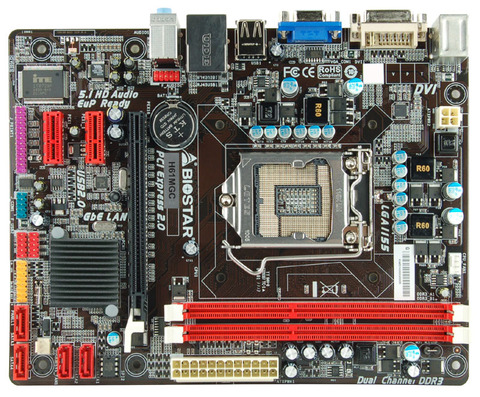
Biostar H61MGC- http://www.ebuyer.com/product/274290
The Biostar H61MGC is the cheapest 1155 motherboard that there currently is on sale. Priced at an amazing £39.60 ($63.82) This is clearly a Budget motherboard and is well worth a good look at when building a 1155 Setup. The motherboard it self has no real stand out features. It only has 2 RAM slots, It doesn't have a Legacy PCI slot or IDE plug. It only has one PCI-E x16 slot. However it does feature onboard graphics which has DVI output and VGA output this means that you could plug it into any monitor including HDMI ones by using a DVI to HDMI adapter.
The H61MGC does come with solid capacitors in the CPU VRM area which means that voltages to your new Core i3, i5 or i7 will be very smooth and well regulated. It supports a maximum power of 95w which is enough to power the i7 2600K, It can also support the cheaper Pentium offerings as well which shows this board can support both high speed expensive hardware as well as lower speed cheaper hardware. It only has SATA 2 however which is a bit of a let down, It most likely won't effect many people however as at the moment the only things that come close to maxing out the bandwidth of SATA 2 ports are SSD drives and not many people use them.
Overall the Biostar H61MGC is a very well priced offering from Biostar and I would recommend it to anyone that simply wants a computer that is good for high speed internet and also some light gaming if fitted with a graphics card.

MSI H61M-E33-B3 - http://www.ebuyer.com/product/260862
The H61M-E33-B3 from MSI is a lot more of a rounded motherboard. It has more of the new features that the new Core series supports. It costs quite a bit more than the Biostar however priced at just over £50 ($80) Having looked at this motherboard the first thing that I noticed was the amount of high quality solid capacitors. This is a good sign as this usually means that the manufacture has not skimped on the quality part of this motherboard to gain extra specifications. The next thing I noticed is that it features a Legacy PCI slot as well as two PCI-E x1 and a PCI-E x16 slot as well. It only has 2 RAM slots like the Biostar but that can be expected at such a good price. It can support upto 16Gb of RAM if you can find the compatible 8Gb RAM sticks.
The H61-E33-B3 also only features SATA II which is a bit disappointing but it is a budget board and remember that not many people max out the bandwidth on SATA II anyway. It supports CPU's upto the i7-2600K just like the Biostar and can handle the slower cheaper Pentiums as well. This board also has a Native HDMI output as well which shows that it was built for HDMI output. I would say that this motherboard would be great paired with an i3 or i5 and put into a media center PC as it also features 8 channel audio output with the 6 needed sockets.
Over all the MSI H61M-E33-B3 looks like a great quality budget board with good features for an amazing price and I wouldn't hesitate to recommended it to anyone looking to build either a budget gaming PC or a Media Center PC.

ASUS P8H61-M - http://www.ebuyer.com/product/261401
The ASUS P8H61-M is the cheapest ASUS board that I could find for socket 1155. It does come with more features than the H61MGC and H61M-E33-B3 and that is to be expected as it costs just over £60 ($96) Having looked at the P8H61-M I noticed that the board is full of ASUS's well known quality, It has only Solid Capacitors, Anti-Surge protection which protects your hardware from Electrical surges, and C.P.R which ASUS claims to help recover the origional BIOS settings should an overclock fail and the board not boot. This sounds like a very useful feature for those people that are always trying to push their components for the best performance they can get.
The P8H61-M supports the same CPU's as the other two budget boards and also only features SATA II again just like the other boards. It has the same card expansion slots as the MSI H61M-E33-B3 and also features only 2 RAM slots. It also lacks the feature of USB 3 which is disappointing as well.
On the positive side this board does have a HDMI output and also a S/PDIF output which the MSI and Biostar are lacking. This shows that ASUS are aiming the P8H61-M at the Media market as S/PDIF is a Digital audio out plug which is the best way to transmit HD audio.
Overall the ASUS P8H61-M seems to be aimed at the media market again but there is no doubt in my mind that a board of this quality couldn't easily handle some gaming work as well so long as it is fitted with either a i5 or i7 processor and a decent graphics card. Who ever said budget gaming was a bad idea?

Gigabyte GA-H61M-D2-B3 - http://www.ebuyer.com/product/261350
My final board is the Gigabyte GA-H61M-D2-B3. This board is the same price as the ASUS and for that I would expect the same sort of features as well. The first thing I notice about this board is the 2 RAM slots. Once again another board that can only have 2 RAM sticks in it. The next thing I notice is the CPU VRM area. It is packed with high quality chokes and capacitors and also features Lower RDS mosfets lowering the power usage and heat output than standard VRM's. The final thing that stands out on this board is the fact that there is no legacy PCI slot, only 3 PCI-E x1 slots which I think may cause some people to shy away from this board as many PCI-E x1 cards a more expensive than PCI cards that offer the same features.
The GA-H61M-D2 also supports the same CPU's as the Biostar, MSI and the ASUS and can support the whole range from the Pentiums to the i7's. What I don't understand with this board is that they haven't included a HDMI output which is very disappointing, They also haven't included the full 6 3.5mm sockets that is usually required when usinging 7.1 audio.
The GA-H61M-D2 also only supports SATA II and USB 2.0 which is also quite disappointing considering they haven't got a HDMI port either.
My overall descision with the GA-H61M-D2 board is that I don't know what audience Gigabyte was aiming this board at. It can't do proper multimedia as it doesn't have a HDMI socket and it also doesn't feature S/PDIF audio output. The quality of the VRM is better than the ASUS's but personally I wouldn't buy it over the ASUS as it seems that it is just lacking features and for the same price it is not worth it.

Thanks for reading. Please Join this site for hardware news and updates. Also check out these related articles;
Tuesday, 17 May 2011

Corsair TX750 V2: New and Improved

Introduction, Package Contents, and Specifications

Today we continue with the second part of our series of 750W power supplies. The Corsair TX V2 is the second 80 Plus Bronze certified PSU with non-modular cables that we're looking at for this range. Corsair might be a leading manufacturer of RAM modules and SSDs, but power supply quality depends largely on the ODM and their design. The big question of the PSU source is easy to answer. Seasonic is the company behind many Corsair products—and they're definitely a good choice, much better than using CWT like the original TX750—but what about the internal design and components?
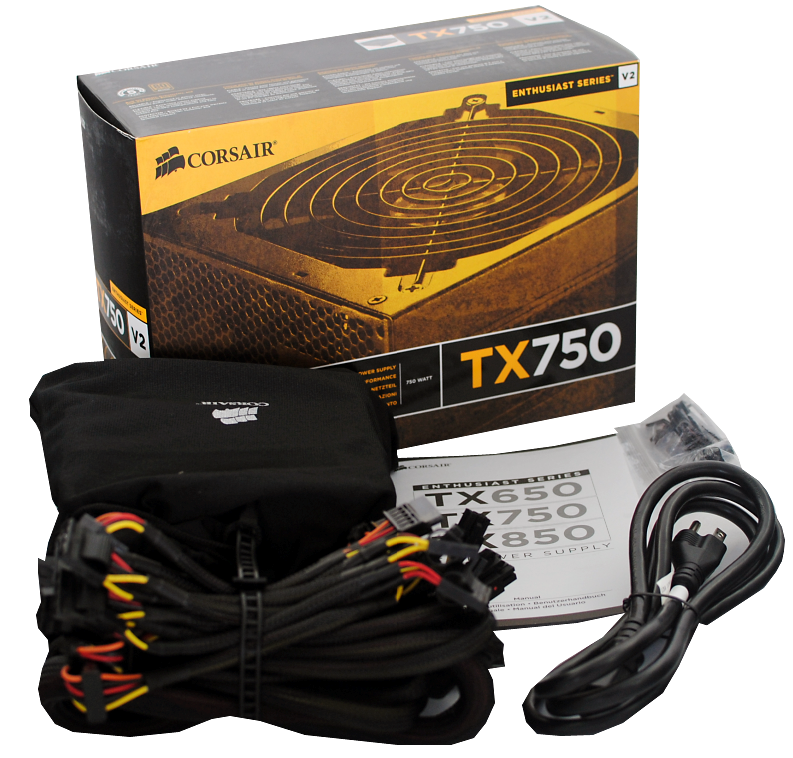
Corsair's TX V2 750W includes a power cord for the American power grid, four screws, one Corsair sticker (for your case), and a manual. The latter is more like a warranty agreement than a helping hand. There is an installation guide, but the warranty part shows some interesting limitations. "[Corsair] shall not be liable for any special, incidental, indirect or consequential damages [...] including [...] loss of profits, revenue, or data." So the 5-year warranty won't help you, other than getting a new PSU should the TX750 go belly up. Don't worry, though; these are common terms and are present with nearly every PSU.

Read More - http://www.anandtech.com/show/4311/corsair-tx750-v2-new-and-improved

Saturday, 14 May 2011

ASUS P8Z68-V Pro Z68 Chipset Motherboard Review

When Intel brought out the P67 and H67 chipsets, many enthusiasts complained that the features of one or the other were only available on one or the other, but not both. Intel has heard the community and is therefore launching the Z68 chipset. As usual ASUS is among the first board makers to offer a board featuring this latest chipset. The ASUS P8Z68-V Pro promises to be an interesting first look at this new chipset

Introduction


You’ve probably owned ASUS built products without even knowing it. It makes everything from motherboards to monitors, to consumer electronics, and more. Founded in 1986 ASUS has become one of the largest consumer electronics manufacturers in the world and is probably the largest motherboard manufacturer on the planet, surely when it comes to retail box packages.
The ASUS P8Z68-V Pro is based on Intel’s brand new Z68 Express chipset. Less than six months ago Intel launched two chipsets. P67 and H67.


Article Image

The former was targeted towards mainstream and some enthusiast users. This chipset offered the ability to overclocked multiplier unlocked K series parts with impunity. At least, through turbo multipliers. The H67 chipset on the other hand featured support for Intel’s Integrated Graphics Processors, or IGPUs which are part of the Sandy Bridge core processors’ dies. Furthermore Intel’s quick sync feature was tied to H67 and anyone who might have wanted to take advantage of these features had to choose between using the IGPU’s and Quick Sync or overclocking. This didn’t sit well with many enthusiasts and of course, many people made their opinions on this well known. Well if Z68 proves anything, it’s that Intel has been listening. No longer must you choose between the feature sets of P67 and H67. You can now have both feature sets and more. And when we say "more" there is a LOT more.

Read More - http://www.hardocp.com/article/2011/05/11/asus_p8z68v_pro_z68_chipset_motherboard_review

Tuesday, 1 February 2011

A review of MSIs Sandy Bridge laptop, the GT680

When MSI unveiled the new GT680R gaming laptop at CES this year, the company touted it as one of the "fastest, most powerful gaming notebooks in the world." As one of the first laptops to take advantage of Intel's Sandy Bridge processor, this laptop definitely packs plenty of power. Under the hood, you'll find NVIDIA GeForce GTX 460M graphics with 1.5GB of video memory, 8GB of DDR3 system memory, and two 500GB 7,200rpm hard drives.

The GT680R isn't MSI's only new notebook to offer a Sandy Bridge processor. Like MSI's other products based on the second generation Core processors, the GT680R offers USB 3.0 connectivity as well as the MSI Turbo Drive Engine for easy, one-touch overclocking. This 15.6-inch laptop supports full HD (1980x1080) with its LED-backlit display. There's also a HDMI port for outputting content from the notebook onto larger displays. The GT680R also comes with Dynaudio speakers and THX TruStudio Pro for a more true-to-life sound quality experience.
Read the full review here.
www.customdesktops.moonfruit.com

Saturday, 15 January 2011

Sony Ericsson’s PlayStation Phone Reviewed, the Xperia Play’s Secrets Are All Out!

The Xperia Play (Or better known as The Playstation Phone) holds no more secrets.
A member of Chinese mobile forum ePrice was able to meet a friend who had acquired an Xperia Play handset, asking if he would be interested in taking a look at Sony Ericsson’s Android-based gaming smartphone. Wanting to know more, the guy travelled to Shenzhen and was treated with a full overview, capturing more high-resolution photos of the device and a demo video, writing a full review in the process.

The  Xperia Play will feature a 1GHz processor with the Adreno 205 GPU, it will have a 4-inch FWVGA screen that is capable of delivering a 854 x 480 resolution, a 5MP camera, noise cancelling dual microphones and dual speakers
This would run on Android 2.3 as no different as shown on the Chinese videos on the internet, and also, there is support for MicroSD, MicroUSB and there is a 3.5mm microphone jack.
We still have yet to know which games are supported on the Xperia Play besides the PS1 games support. Stay tuned for more info!
www.customdesktops.moonfruit.com

Wednesday, 29 December 2010

ASUS M4A89GTD PRO/USB3 Review


In terms of the 890GX and SB850 this motherboard is packed with features. This motherboard includes USB 3.0, eSATA, Core Unlocking, 1394 Firewire, Dual 16x Graphics slots and gloss blue aluminum coolers to help keep the chipset and VRM's at a stable temperature. This board also features on-board graphics using the HD4290 graphics chip. This graphics chip is no way a gaming chip but it is a lot better than some of the graphics that Intel are using on their boards. This board also makes use of 128mb DDR3 sideport memory to help speed up the on-board graphics. You can also use the onboard video as support for a discrete graphics card in what AMD call Hybrid CrossfireX mode. However unless the discrete card was slow itself then this would probably not offer much of a performance boost anyway. This board features 8+2 power phase. This will not mean much to most people that want to just use their computer but any one that is into a bit of overclocking will notice that this arrangement is more stable than lower phase power circuits. Another great feature that ASUS has included is the ASUS Express Gate. This is a mini operating system that the motherboard loads into if you want to just quickly check your email or have a quick look at something on the internet. This feature works really well as it loads a lot faster than a windows operating system. This board is also capable of running the quad and hex core CPU's that AMD are offering at the moment so you will not be short of power with this board.
This is the architecture that the 890GX Chip-set Uses


In conclusion ASUS has delivered a very high quality feature rich board for a the small price of £99.99 which is very much worth it. The only problem that I found with this board is the lack of a PS2 mouse port.

www.customdesktops.moonfruit.com